Set up a headless Mac mini
from a MacBook
No wired keyboard, no mouse, no monitor.
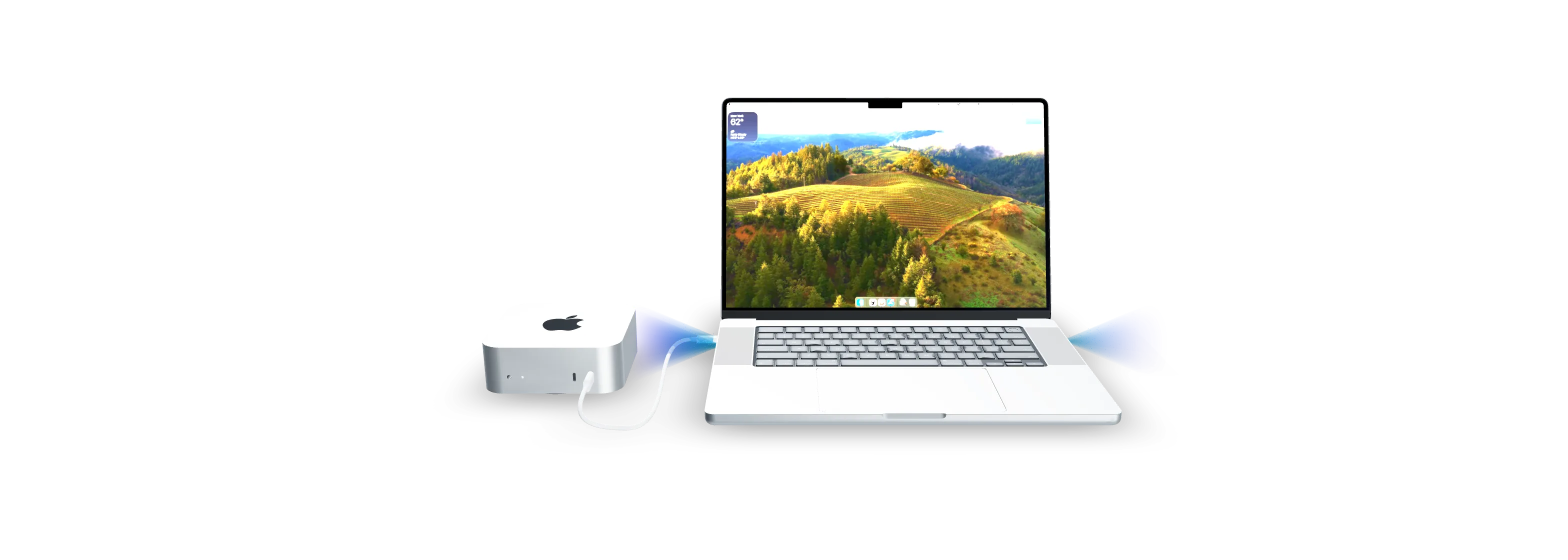
Plug a MacBook into the mini and RigValet runs Setup Assistant on its own.
Sound familiar?
Stuck on the Bluetooth keyboard screen
A brand-new Mac can’t pair with a keyboard it has never seen, and pairing tricks like pressing the power button three times work some days and not others.
Told to borrow a monitor “just for setup”
Every headless Mac mini guide starts the same way: find a display, a wired keyboard and a mouse, then put them back in the drawer.
Back to square one after an erase
Erase a Mac mini to hand it on or to test a clean install, and it restarts into Setup Assistant with no network, waiting for a keyboard that isn’t there.
How it works
- 1
Open RigValet on a MacBook
Install it on the Mac already on the desk. It checks the setup and walks you through preparing it, which includes turning off SIP.
- 2
Plug in one USB-C cable
Connect the MacBook to the Mac mini and press the mini’s power button. The mini sees an ordinary wired keyboard and mouse.
- 3
RigValet runs Setup Assistant
It picks the language, creates the account and turns on Screen Sharing, with no clicking through screens by hand. Setup runs offline, so there’s no Wi-Fi password to hand over. Then the mini can live in a closet.
A MacBook becomes the keyboard
A Mac mini arrives with no keyboard, no mouse and no display. RigValet lends it the ones on a MacBook, runs setup, and runs it again after an erase.
A real wired keyboard
The MacBook shows up as a genuine USB keyboard and mouse, so it works from the very first screen, before any account exists.
Setup Assistant on autopilot
RigValet walks Setup Assistant on macOS 26 and 27 and keeps track of which screen the mini is on, so there’s no typing blind.
No pairing, no RigValet app left on the mini
A cable skips Bluetooth discovery and pairing entirely. As far as the Mac mini knows, someone plugged in a keyboard. No RigValet driver or agent is installed on the mini. RigValet creates the account, turns on Screen Sharing and Remote Login, adds RigValet’s SSH key so your MacBook can reach it, turns off sleep, and shows a Setup Complete screen that removes itself.
Erase it and start again
Wipe the mini and RigValet walks Setup Assistant again, back to Screen Sharing, without a trip to the closet.
Requirements
- A Mac with Apple silicon
- It runs RigValet and becomes the keyboard. Intel Macs can’t act as a USB keyboard.
- A USB-C to USB-C cable that carries data
- Charge-only cables look identical, and they’re the most common reason nothing happens. The Mac mini with M4 has no USB-A ports.
- SIP turned off on the MacBook
- RigValet’s driver only loads with System Integrity Protection off. That means a trip into Recovery to run
csrutil disable, allowing the driver in System Settings, and three restarts. SIP stays off until you turn it back on, which is the same trip in reverse. The driver goes on the MacBook only. The Mac mini gets no driver, and its SIP is left as it is. Exactly what changes, and how to undo it - A Mac mini on macOS 26 or 27
- RigValet walks Setup Assistant on macOS 26 Tahoe and macOS 27. macOS 13 to 15 pass in our lab and come to the app once they pass without it. It finds which of the MacBook’s USB-C ports the mini is on.
Questions
Why not just borrow a keyboard and a monitor?
You can, and for one Mac mini once, that works. RigValet is for when they aren’t to hand, or when you set up and erase minis often: one cable, and it walks Setup Assistant through to Screen Sharing by itself.
Why does SIP have to be turned off?
The driver that makes the MacBook a USB keyboard is a kernel extension, and macOS only loads it with System Integrity Protection off. That applies to the MacBook only. The Mac mini’s SIP is left as it is. You can turn SIP back on with the same trip into Recovery. Exactly what changes, and how to undo it
Is anything installed on the Mac mini?
No RigValet app or driver. Setup does change the mini’s settings: it creates the account, turns on Screen Sharing and Remote Login, adds an SSH key so your MacBook can reach it, turns off sleep, and shows a Setup Complete screen that removes itself.
Which Macs does it work with?
The MacBook, or any Mac running RigValet, needs Apple silicon: Intel Macs can’t act as a USB keyboard. The Mac being set up is a Mac mini on macOS 26 or 27. macOS 13 to 15 pass in our lab and come to the app once they pass without it.
How does it know what’s on the mini’s screen?
It turns on VoiceOver on the mini and reads its braille output back over the same cable, so it knows which Setup Assistant screen it’s on before it presses anything. No camera or capture card is needed.
Does it need Wi-Fi or my Apple Account?
No. Setup runs offline, so there’s no Wi-Fi password to hand over, and it doesn’t sign in to an Apple Account; you can do that later over Screen Sharing. The MacBook needs the internet to activate your licence, and at least once every 30 days after that.
Can it get the mini into Recovery, or past FileVault?
No. On Apple silicon, Recovery needs the mini’s power button held down, so that part is you. RigValet doesn’t turn on FileVault during setup, so the mini doesn’t stop at a FileVault unlock screen when it restarts.
Can a script or an AI agent drive it?
Yes. RigValet includes a command-line tool with JSON output, so a script or an agent can start a setup and read which step it’s on.
What does RigValet send to your servers?
A licence check, and usage events you can turn off. Those carry no name, email or licence key, but after activation they’re linked to your purchase. Never your keystrokes or anything from the Mac mini’s screen. Privacy policy
What does it cost, and what if it doesn’t work for me?
$29, once. If it doesn’t work on your Macs, email us within 60 days of buying it; if we can’t get it working, we refund you in full. Refund policy
 RigValet